Is this compatible with Nintendo Switch?
Yes, SuperHub NS Edition can not only fast charge your Nintendo Switch when playing games, but also support TV mode for Nintendo Switch. Please note that SuperHub Standard can only charge Nintendo Switch, and can’t transfer video from Switch to another display.
Last updated: March 09, 2020 06:17
How does SuperHub compare to Genki? Why should I buy yours?
- Comparing to Genki, SuperHub has an additional 18W USB-C PD charging port, which means you can charge up to 3 devices simultaneously. When you are on the go, you need to charge multiple devices. 2. Meanwhile, SuperHub provides 4K 60Hz video output vs. Genki’s 30Hz, which is perfect for Apple MacBook, iPad Pro etc for a much more fluid viewing experience. 3. SuperHub can be used in both wall charger mode and desktop mode with an 8-figured AC extension cable, which is very convenient for a working environment, while Genki can only work for Switch. In short, comparing with Genki and other competitors on the market, SuperHub is a better choice.
Last updated: March 09, 2020 06:17
When the hub is not plugged into the wall, does HDMI port work?
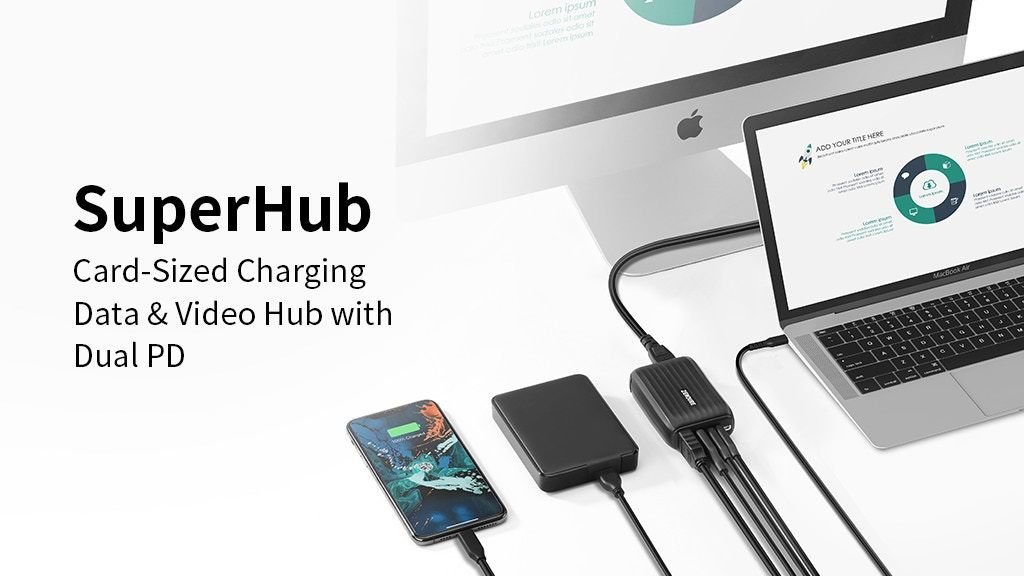
Yes. SuperHub can be used as a hub with HDMI function, powered just by your notebooks’ USB-C port.
Last updated: March 09, 2020 06:17
How many times can it charge my phone?
SuperHub is a charger, not a power bank, but it can charge a iPhone 11 Pro up to 50% just in 30 minutes.
Last updated: March 09, 2020 06:17
Will there be a [insert country here] version?
Zendure SuperHub is international friendly with 100-240V, 50Hz and 60Hz. The Global Adapter Kit comes with US, UK, EU and AU adapters, which is the best solution for international use. It is compatible with over 200 countries and more compact than the mechanism found in Apple chargers.
Last updated: March 09, 2020 06:17
Can SuperHub charge my MacBook Pro 16” in full speed?
Unfortunately, no. To stuff everything into just a credit card-sized, SuperHub provides 30W Power Delivery to keep your MacBook’s battery remaining in daily use. SuperHub can fully charge your MacBook Pro 16” in idle mode in about 5 hours. To charge your MacBook Pro 16” at full speed, we suggest Zendure SuperPort 4 100W, which can charge 4 devices simultaneously with dual PD.
Last updated: March 09, 2020 06:17
Can I use USB-C 1 and USB-C 2 together for Power Delivery Charging?
Yes, from a certain perspective. USB-C 1 and USB-C 2 provide up to 48W Power Delivery in total. However, 18W Power Delivery for USB-C2 port only APPLY when USB-A port not in used. Otherwise, USB-C 2 would be 5V/3A max output, as USB-C 2 and USB-A are share the power to keep its size compact.
Last updated: March 09, 2020 06:17
Am I able to get 2 Super Early Bird?
Unfortunately you cannot get 2 early birds since Kickstarter only allows one choice. If you want to get 2 early birds, you will have to create a different account. I would suggest you pledge for the $118 two-pack since this also has a great discount.
Last updated: March 09, 2020 06:17
What will be the add-on prices for SuperHub and SuperHub NS during the survey phase?
After the Super Early Bird and Early Bird gone, SuperHub and SuperHub NS Edition would be sold at $69 and $79 as a Kickstarter special price, so the same with add-on phase.
Last updated: March 09, 2020 06:36
What's the difference between the Super Early Bird and the Early Bird? Are they both the same pack just a price difference?
Super Early Bird price is limited. Once it is out of stock, you will need to pledge to the Early Bird. So we really encourage backers to pledge early.
Last updated: March 09, 2020 19:22
What is BackerKit?
BackerKit is a service that crowdfunded project creators use to keep track of hundreds to tens of thousands of backers—from shipping details, pledge levels, preferences and quantities, whether they have paid or had their card declined, special notes, and everything in between!
The BackerKit software and support team is independent from the campaign’s project team—BackerKit does not handle the actual reward shipping. For more information about the preparation or delivery status of your rewards, please check the project's updates page.
How does BackerKit work?
After the campaign ends, the project creator will send you an email with a unique link to your survey. You can check out a walkthrough of the process here.
I never received my invitation. How do I complete the survey?
The most common reasons for not receiving a survey email is that you may be checking an email inbox different from the email address you used to sign up with Kickstarter, Indiegogo or Tilt Pro account, or it may be caught in your spam filter.
Confirm that the email address you are searching matches the email address tied to your Kickstarter, Indiegogo, or Tilt Pro account. If that doesn’t work, then try checking your spam, junk or promotions folders. You can also search for "backerkit” in your inbox.
To resend the survey to yourself, visit the project page and input the email address associated with your Kickstarter, Indiegogo or Tilt Pro account.
How do I update my shipping address?
BackerKit allows you to update your shipping address until the shipping addresses are locked by the project creator. To update your address, go back to your BackerKit survey by inputting your email here.
When will my order be shipped, charged or locked?
That is handled directly by the project creator. BackerKit functions independently of the project itself, so we do not have control of their physical shipping timeline. If you want to check on the project’s status, we recommend reading over the project's updates page.
I completed the survey, but haven't received my rewards yet. When will they arrive?
As BackerKit does not actually handle any rewards or shipping, the best way to stay updated on the shipping timeline would be to check out the project's updates page.